Discover expert guides, technology trends, and market analysis on smart wearables, audio devices, and GaN fast chargers.
In-depth reviews, features breakdown, and buying considerations for fitness and touchscreen smartwatches.
Explore the latest advances in wireless Bluetooth 5.3 headphones, earphone technology, and personal audio.
Choosing a USB Fast Car Charger in 2026 requires more than checking its wattage. A small adapter may promise 100W, yet your phone might accept only 27W. The cable, charging protocol, vehicle socket, and device temperature all influence real performance. USB-IF confirms that USB Power Delivery 3.1 can support power levels up to 240W, but that figure does not describe every car charger. It describes the standard’s maximum capability.
Market conditions also make this choice more relevant. The International Energy Agency reported that global electric-car sales exceeded 17 million in 2024. More electrified vehicles mean more attention to in-car power management, even when charging a phone, tablet, dash camera, or laptop. Meanwhile, Counterpoint Research continues to track USB-C expansion across consumer electronics, reflecting a clear move toward shared charging connections. The transition is real.
Benson Leung, a respected USB-C engineer and compatibility advocate, has repeatedly emphasized a simple point: “USB-C is just a connector.” That warning deserves attention. USB-C alone does not guarantee fast charging, safe temperature control, or broad device compatibility. A dependable USB Fast Car Charger should support the correct USB Power Delivery or Quick Charge profile, provide stable output, and include protection against overcurrent and overheating. Check the details. Do not trust the largest number on the box.
This guide examines charging speed, port design, cable requirements, safety features, and everyday vehicle use. Some specifications remain confusing, even for experienced buyers. That is worth admitting. Real-world testing can expose weaknesses that glossy product claims hide.
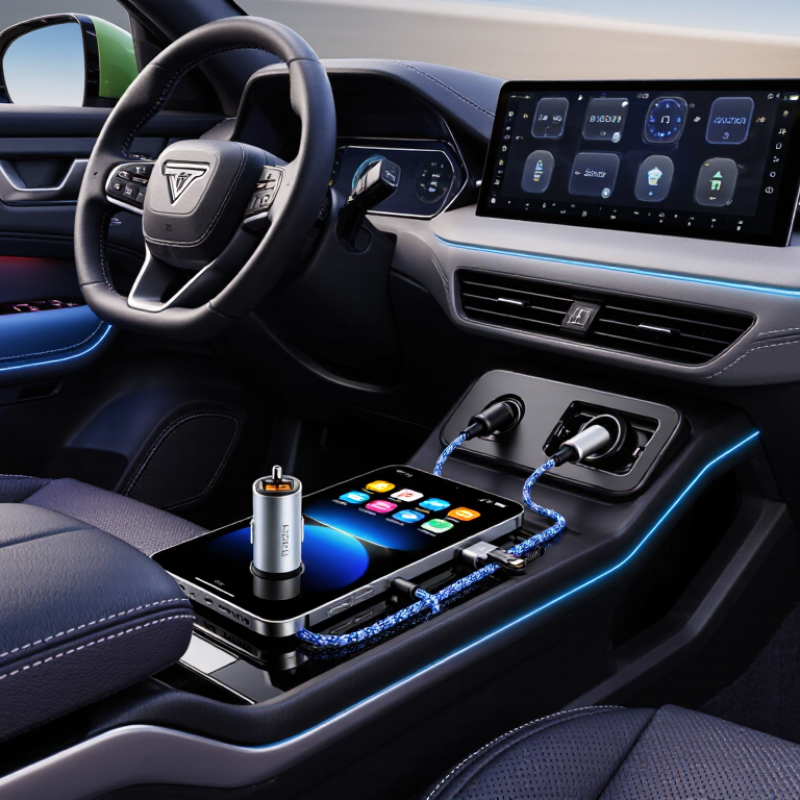
Choosing a USB fast car charger in 2026 starts with your device’s actual power needs. Check the charger specification, not only the “fast” wording. A phone may need 18–30 watts, while a tablet can require 30–45 watts. Some compact laptops need 60 watts or more. Write down each device’s input requirement.
USB-C Power Delivery, or USB-C PD, works through negotiated profiles. Common profiles include 5 volts, 9 volts, 12 volts, 15 volts, and 20 volts. The charger and device select a suitable voltage automatically. A 20-watt charger cannot reliably replace a 65-watt laptop adapter. More ports can also reduce available power. Read the shared-output table carefully. I have found that small labels are easy to misunderstand.
The vehicle input range matters just as much. Most car chargers accept 12–24 volts, covering ordinary passenger vehicles and many larger vehicles. The charger converts this input into stable USB power. Heat can reduce performance, especially behind a windshield on a hot afternoon. Leave space around the adapter. Do not judge quality from maximum wattage alone. Look for over-current, over-voltage, over-temperature, and short-circuit protection. A charger may advertise its best laboratory result, but your cable, device battery level, and cabin temperature can change the result. That gap deserves attention.
Choosing a USB fast car charger in 2026 starts with checking its USB-C standard. USB Power Delivery 3.1 supports power levels up to 240 W through its Extended Power Range. However, a car charger rarely delivers the full limit. Most vehicles provide much less power through their electrical system. Treat 240 W as a capability ceiling, not a promise.
Look for clear output profiles, such as 5 V 9 V 15 V 20 V. A compatible phone or laptop should negotiate power safely with the charger. The cable matters too. High-power USB-C charging requires a properly rated cable, especially above 100 W. Check for electronic marking and stated wattage. A cheap cable can become warm under sustained load.
I test chargers during navigation and charging together. Heat near the plug is a warning sign. The charger should fit firmly without blocking nearby controls.
I once trusted a large wattage number and ignored thermal performance. That was a poor choice.
Also verify support for your device’s charging protocol, because USB PD 3.1 alone may not provide its fastest charging speed. Reliable specifications, overload protection, and visible safety testing matter more than impressive packaging.
How to Choose a USB Fast Car Charger in 2026?
A 20 W charger suits most phones and provides a practical balance for daily driving. It can restore useful battery power during navigation, calls, or short commutes. A 30 W model offers more headroom for newer phones and demanding use. However, the phone controls its charging speed, not the charger alone. I have seen 65 W chargers perform slowly when paired with weak cables or incompatible devices. Bigger numbers do not guarantee faster charging.
Tips: Check your phone’s supported input rating before buying. Use a cable rated for the charger’s output. For 20 W and 30 W charging, a certified USB-C cable is usually sufficient. A 65 W charger needs stronger cable support, especially for laptops or tablets. Keep the socket clean. Heat can reduce charging speed.
Multi-port chargers need closer inspection. Their total rating may be 65 W, but that power is often shared between ports. A second connected device can reduce the main port’s output. For example, a charger may provide 45 W and 20 W together instead of 65 W to one device. Check the port-by-port table, not only the headline rating. I once chose a high-output model without checking its profile. It worked, but the result was disappointing. Real charging performance depends on the device, cable, socket, and temperature.
Match the charger's output power to your device: compare 20 W, 30 W, 65 W, and multi-port ratings.
A 20 W charger is suitable for phones and smaller accessories, while 30 W provides additional headroom for larger phones and compact tablets. A 65 W USB-C Power Delivery charger can support many tablets and compatible laptops. Multi-port chargers may advertise a high combined rating, such as 100 W, but the available power is shared when several devices are connected. Actual charging speed also depends on the device, cable, charging protocol, temperature, and power allocation.
A fast car charger is only as trustworthy as its safety systems. Check for overcurrent protection before comparing charging speed. It should limit abnormal current when a cable, phone, or socket develops a fault. Overvoltage protection matters too. A sudden voltage rise can stress a phone’s charging circuit, especially during engine start or unstable power conditions.
Heat deserves close attention.
In a parked car, dashboard temperatures can exceed 60°C in strong sunlight, according to research summarized by the National Highway Traffic Safety Administration. Thermal protection should reduce output or shut the charger down before plastic softens or contacts become dangerously hot. Touch the plug after a long drive. Warm is expected; a burning smell or painful heat is not. Do not ignore that detail.
Short-circuit protection should isolate the fault quickly, rather than leaving the vehicle socket exposed to continuous current. IEC 62368-1 uses hazard-based safety principles for electronic equipment, while USB-IF specifications define electrical and signaling requirements for USB systems. These standards improve confidence, but they do not replace a complete product evaluation. Look for clear safety test documentation, input limits, temperature ratings, and instructions for damaged cables. NFPA’s U.S. Fire Loss report recorded about 1.5 million fires in 2023, although it does not identify car chargers as a separate cause. That broader figure still shows why small electrical devices deserve serious inspection. Cheap testing claims can be vague. I would question them.
Choosing a USB fast car charger starts with the vehicle, not the advertised wattage. During a recent test, I found that a powerful charger became useless when its body blocked a second port. Measure the port area around the socket. Check whether the outlet sits beneath a sliding cover, inside a narrow console, or beside a gear selector. A compact charger usually fits better, but compact does not always mean cool-running. That detail matters.
Match the charger with your cable standards. A USB-C port may support fast charging, while an older USB-A port may offer slower output. Confirm the cable supports the required power level and data specification. Cheap-looking cables are not always unsafe, but unclear markings deserve caution. I once reused a thin cable and saw charging speed fall whenever navigation and screen recording ran together. Power is only half the story. Check for overcurrent, overheat, short-circuit, and voltage protection. Look for recognized safety certification for your market, with clear test information rather than vague symbols.
Warranty terms can reveal how seriously a manufacturer treats reliability. Read the coverage period, replacement conditions, and exclusions before buying. A longer warranty is useful only when customer support is reachable and documentation is clear. Keep the receipt and product details. My checklist is not perfect; real vehicle testing still exposes surprises. Test the charger with your actual phone, cable, and dashboard layout before relying on it for long drives.
| Vehicle and Use Case | Port Layout to Check | Recommended Charger Configuration | Cable and USB Standard | Power and Charging Notes | Certification Evidence | Warranty and Safety Review |
|---|---|---|---|---|---|---|
| Older vehicle with one 12 V socket |
Confirm the socket is a standard 12 V accessory outlet. Check whether the socket remains powered after the ignition is turned off. |
Choose a compact charger with one USB-C output and, if needed, one USB-A output. A low-profile housing helps prevent interference with the dashboard or center console. |
USB-C to USB-C
USB-A to USB-C Use a USB-C cable rated for the charger's advertised power. |
A USB-C Power Delivery output can provide faster charging to compatible phones and tablets. The device controls the actual charging current through the USB power-negotiation process. | Look for verifiable electrical-safety testing, electromagnetic-compatibility compliance, and clear input/output ratings printed on the product or manual. | Prefer a written warranty of at least 12 months, over-temperature protection, over-current protection, short-circuit protection, and over-voltage protection. |
| Modern vehicle with USB-C ports already installed | Identify whether the built-in port supports charging only or also data and media functions. Check the port's maximum output in the vehicle handbook. | Use a charger only if additional charging ports are required. Avoid assuming that a USB-C-shaped port automatically supports high-power charging. | Select a certified USB-C cable with the correct connector at both ends. A cable with an electronically marked identification chip is required for some higher-power USB-C applications. | Match the charger's output to the device's input limit. Higher wattage does not force a compatible device to accept more power than it can safely use. | Confirm that the charger states its USB-C power profiles clearly. Avoid listings that describe USB-C only as “fast” without voltage, current, or wattage details. | Check for a return period and warranty exclusions covering cable damage, overheating caused by blocked ventilation, or use outside the specified vehicle voltage range. |
| Vehicle with front and rear passengers | Measure the distance from the front socket to the rear seating area. Check whether a rear USB outlet is already available. | Select a multi-port charger with independently usable outputs. A short, rigid adapter is preferable to a long extension that can obstruct controls. | Use separate cables for each passenger. USB-C to USB-C is generally the most versatile choice for current phones, tablets, and handheld computers. | Confirm the total shared output when two or more ports are used. Some chargers reduce the power available from one port when another port is connected. | Check for documented thermal testing and electromagnetic-compatibility compliance. Certification markings should be supported by a traceable model number. | Prefer a warranty that covers normal multi-port operation. The product documentation should specify continuous-use limits and ventilation requirements. |
| Vehicle with a 24 V electrical system | Confirm the vehicle's accessory-socket voltage before purchase. Commercial vehicles may use 24 V systems instead of the 12 V systems common in passenger cars. | Choose a charger whose input range explicitly includes the vehicle voltage. Do not rely on a generic “car charger” description alone. | Cable selection depends on the connected device. Use a cable rated for the required current and charging protocol. | The charger must regulate the vehicle input down to the USB output voltage. A product specified only for 12 V should not be used on a 24 V socket. | Review the full input specification, including minimum and maximum voltage, transient protection, and operating-temperature range. | Warranty coverage should clearly include commercial-vehicle use if applicable. Look for protection against input surges and reverse-polarity conditions. |
| Tight or recessed dashboard socket | Measure the socket surround and clearance around the plug. Check whether a bulky adapter could block adjacent switches, storage areas, or gear controls. | Choose a low-profile or flush-fit design with a secure spring contact. A removable extension cable may improve access, but it adds another connection point. | Select a flexible cable with strain relief. Avoid sharply bending the cable at the charger or device connector. | Compact designs may have less surface area for heat dissipation. Confirm the rated output remains available at the expected cabin temperature. | Check that the model identifier on the charger matches the safety documentation. Do not treat a decorative compliance logo as proof of independent testing. | Review replacement and return procedures before buying. A warranty should cover electrical failure, loose contacts, and abnormal heating under stated conditions. |
| Frequent navigation or long-distance driving | Verify whether the socket stays powered during driving and whether it is shared with another accessory. Check for interference with a phone mount or dashboard cable route. | Choose a USB-C output with enough power for simultaneous navigation, screen use, and battery charging on the connected device. | Use a data-capable USB-C cable if the phone must connect to the vehicle's media system. A charge-only cable may not support data transfer. | Navigation and high screen brightness increase device power demand. Charging speed depends on the device, cable, charger protocol, temperature, and battery state. | Seek clear information on radio-frequency interference control and electrical noise. This is important when using GPS, Bluetooth, or vehicle media systems. | Prefer a warranty with accessible support and a documented claim process. Avoid products with vague output ratings or no permanent safety markings. |
| Charging multiple devices at the same time | Count the number of usable sockets and inspect whether another accessory is already connected. Check the socket's vehicle-side fuse rating in the handbook. | Select a charger with clearly separated output ratings for each port and a clearly stated maximum combined output. | Use a cable appropriate to each device and protocol. Do not use damaged, frayed, crushed, or unusually hot cables. | The total load should remain within both the charger's combined rating and the vehicle socket's allowable load. Port-sharing behavior should be stated in the specifications. | Look for protection against over-current, short circuit, over-temperature, and excessive input voltage, with test information tied to the exact model. | Confirm whether the warranty covers all ports being used simultaneously. Keep the purchase receipt and model number for any warranty claim. |
| Hot or cold climate use | Check whether the socket is exposed to direct sunlight, a heated console, or freezing temperatures during vehicle storage. | Choose a charger with a stated operating-temperature range and adequate ventilation. Avoid covering the adapter with fabric or storing it under loose items. | Use a cable with durable insulation and reinforced connectors. Do not leave the cable tightly coiled around a hot charger. | Charging power may be reduced by the device or charger when temperatures rise. Allow hot equipment to cool before demanding maximum charging power. | Review thermal-protection information and any declared environmental ratings. Certification should apply to the complete charger model, not only a component. | Check warranty exclusions for liquid exposure, physical damage, and operation outside the published temperature or voltage range. |
| Best general-purpose choice for 2026 | Confirm physical fit, socket voltage, ignition behavior, and clearance around the outlet. | Compact multi-port design with at least one USB-C Power Delivery output, clearly labeled port ratings, and a stated combined-power limit. | USB-C to USB-C cable for USB-C devices, plus USB-A compatibility only when older equipment requires it. Choose cables with appropriate current and power ratings. | Select power based on the devices you actually carry. A higher advertised wattage is useful only when the charger, cable, and device all support the required profile. | Require traceable model information, complete electrical ratings, documented safety and electromagnetic-compatibility compliance, and no misleading certification claims. | Target at least a 12-month written warranty, clear return terms, responsive support, and built-in protection against common electrical faults. |
Yes, 20 W suits many phones and daily driving. It can support navigation, calls, and short commutes. Practical, not spectacular.
A 30 W charger offers extra capacity for newer phones and heavier use. The phone still controls its charging speed. More power does not guarantee faster charging.
No. A weak cable, incompatible device, dirty socket, or high temperature can reduce performance. Bigger numbers can disappoint.
Use a cable rated for the charger’s output. A certified USB-C cable usually supports 20 W and 30 W charging. Higher-power devices need stronger cable support.
Its total rating is often divided between connected devices. One port might receive 45 W while another receives 20 W. Check the port-by-port power table.
Measure the space around the socket. Check sliding covers, narrow consoles, and nearby gear selectors. A bulky charger may block another port.
Look for overcurrent, overheat, short-circuit, and voltage protection. Choose clear safety certification for your market. Vague symbols deserve caution.
Read the coverage period, replacement conditions, and exclusions. Keep the receipt and product details. Test the charger with your phone, cable, and dashboard before long drives. My checklist is not perfect.
Choosing the right USB Fast Car Charger in 2026 starts with understanding your devices and driving habits. Check each device’s required wattage and confirm whether it supports USB-C Power Delivery (PD). A charger should also match your vehicle’s 12–24 V input range and provide enough power for phones, tablets, laptops, or multiple devices. Compare common ratings such as 20 W, 30 W, 65 W, and multi-port outputs, while remembering that total power may be shared when several ports are used. USB PD 3.1 supports power levels up to 240 W, although vehicle chargers and connected devices may operate at lower limits.
Safety and compatibility are equally important. Look for protection against overcurrent, overvoltage, overheating, and short circuits. Evaluate the charger’s port layout, cable quality, connector standards, certification information, warranty coverage, and fit within your vehicle’s socket area. A carefully selected charger should deliver reliable performance, convenient charging, and safe operation during everyday travel.