What Is the Best Fast Charging Power Bank in 2026? The answer depends on more than the largest number printed on a box. A useful model should deliver dependable charging, fit your devices, and stay practical to carry. In battery research, Dr. Shirley Meng has emphasized the importance of improving battery performance and safety together. Put simply: “Fast charging matters most when it is dependable and safe.” This is a practical summary, not a direct quotation.
A strong Fast Charging Power Bank should match your phone or laptop’s charging standard and output needs. Check its USB-C power rating, supported protocols, and capacity. A 20,000 mAh label may look impressive, but conversion losses mean your devices receive less energy. The power bank’s weight matters too. A heavy unit can feel less convenient than expected during a full day of travel.
Real use reveals the details that spec sheets miss. Does it charge two devices at once? Does output slow when several ports are occupied? Can you read the remaining charge without guessing from tiny indicator lights? Small details count.
Numbers can mislead.
This guide compares charging speed, capacity, portability, compatibility, and safety features. It also considers a common compromise: higher output often brings extra cost or bulk. No single model suits everyone, and product claims deserve careful checking. We’ll focus on what buyers can verify, not just what packaging promises. By the end, you’ll have a clearer way to choose a power bank that fits your devices and routine—not merely the biggest number.
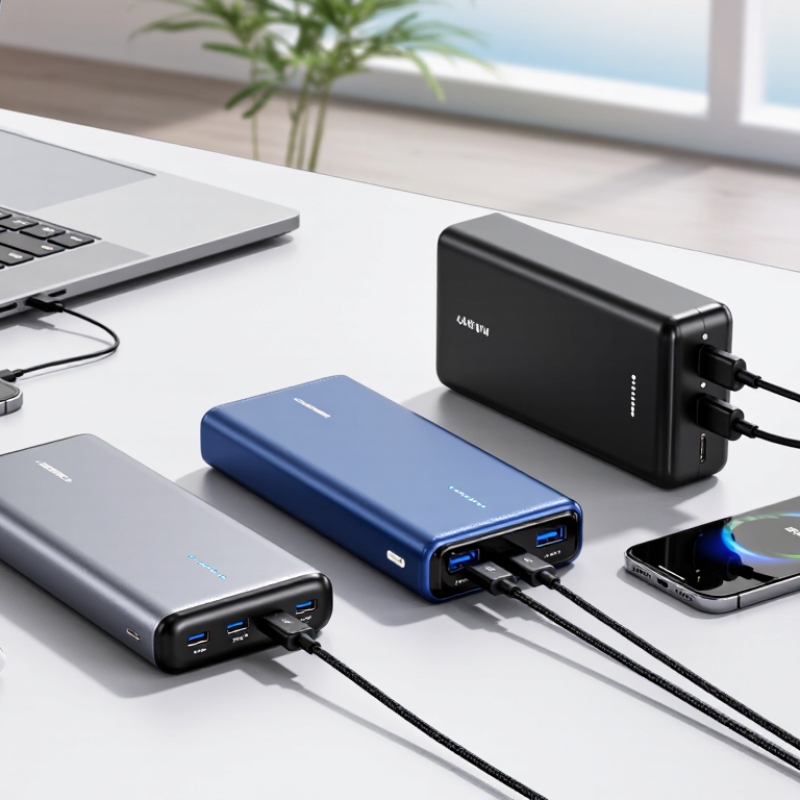
What Defines a Fast-Charging Power Bank in 2026?
A fast-charging power bank is not defined by capacity alone. Its output wattage matters, but so does whether your phone or laptop can accept that power. Check for compatible charging standards, such as USB Power Delivery, and compare the bank’s output with your device’s supported input. A high-wattage label cannot make an older phone charge faster than its own limits allow. There is no single magic number. That can be frustrating.
Real-world performance also depends on the cable, port, and temperature. A power bank with several ports may divide its available output when multiple devices are connected. Its advertised capacity also does not equal the energy delivered to your device; conversion losses reduce usable power. Look for clear output ratings and built-in protections against overheating and overcurrent. Those details are more useful than a flashy capacity figure.
Tips: Match the power bank’s output to your device’s charging limit. Use a cable rated for the required power, and check whether ports share output. If the unit feels unusually hot, pause charging and inspect the cable and connections. Fast charging is useful, but the label alone is not proof of performance.
| Dimension | Practical benchmark | What to check |
|---|---|---|
| USB-C output power | At least 20 W for many phones; 30–45 W offers more headroom for larger phones and tablets; 65 W or higher can suit compatible laptops. | Check the maximum output per port, not just the combined output across all ports. The device must also support the stated charging rate. |
| Charging protocol | USB Power Delivery (USB PD) is a widely used standard for fast charging over USB-C. PPS support can improve compatibility with devices that use Programmable Power Supply. | Confirm that the power bank and device share a supported protocol and power profile; a high wattage rating alone does not guarantee fast charging. |
| Capacity and usable energy | Around 10,000 mAh is a portable everyday option; around 20,000 mAh provides more reserve for multiple charges or longer trips. | mAh usually describes the internal cells at their nominal voltage. Conversion losses mean the energy delivered at USB output is lower than the cell capacity suggests. |
| Recharge input | A USB-C input rated at 30 W or more can reduce recharge time for many mid-to-large power banks, when paired with a suitable charger and cable. | Check the maximum input wattage separately from output wattage. The bank’s charging rate may slow as it approaches full capacity. |
| Multiple-port performance | Useful models state both single-port output and the power available when two or more ports are used at once. | Total power is shared between connected devices on many models, so each device may charge more slowly when additional ports are in use. |
| Cable capability | Use a USB-C cable rated for the required current and power. Higher-power USB-C charging may require a cable rated for 5 A with electronic marking. | A lower-rated or unsuitable cable can limit charging speed even when the power bank and device support a higher rate. |
| Air travel suitability | Many airline rules allow power banks up to 100 Wh in carry-on baggage without prior approval; units above 100 Wh and up to 160 Wh commonly require airline approval. | Rules vary by airline and jurisdiction. Power banks generally belong in carry-on baggage, not checked baggage. Check the operator’s current requirements before travel. |
| Safety and temperature | Look for clear electrical ratings, recognized safety testing or certification applicable to the market, and built-in protections against overcurrent, overvoltage, and overheating. | Fast charging generates heat. Avoid damaged units, follow the manufacturer’s operating guidance, and stop using a power bank that swells or becomes unusually hot. |
| Best-fit choice | For most phone users, prioritize USB-C PD, at least 20 W output, a practical capacity, and a clearly stated recharge input. Choose higher output for tablets or compatible laptops. | The best option is the one whose output protocol, wattage, capacity, ports, and travel suitability match the devices and use case—not necessarily the one with the largest number on the label. |
Charging speed depends on the power bank, cable, device, battery level, and temperature. Advertised maximum wattage is not a guaranteed charging rate in every situation.
Choose capacity based on your routine. A compact bank may cover a phone top-up during a commute. Real output is lower than the printed capacity.
Not always. More capacity often means extra weight. A few ounces can feel heavy after a full day on foot.
No. The bank, cable, and phone must support compatible charging speeds. Check the phone’s requirements and the bank’s port output.
A low-rated cable can limit power, even when the bank supports faster charging. Check the cable’s rating before charging a laptop.
Confirm the bank can provide the laptop’s required sustained output. Peak wattage alone may be misleading.
Look for clear information about temperature, overcurrent, overvoltage, and short-circuit protection. Readable safety documentation matters.
It can help on a crowded desk, but may add heat or reduce charging speed. Not ideal for every overnight setup.
Do not cover the bank with a coat or blanket. If it gets unusually hot during normal use, stop and inspect the cable and connections.
Often, but shared ports may reduce total output. Check the specifications; I still find these labels a little confusing.
Compare watt-hours, weight, and port output alongside capacity. Conversion losses mean your devices receive less energy than the printed figure suggests.
A Fast Charging Power Bank in 2026 is defined not just by how quickly it can deliver power, but by how well it works with the devices people use every day. Charging standards and wattage determine whether a phone, tablet, or other compatible device can charge at its supported speed. A higher wattage does not automatically mean faster charging for every device, so checking compatibility is essential. Capacity also affects how many recharges are available, while size and weight influence how convenient the power bank is to carry.
The best choice balances charging speed, useful capacity, portability, and safety. Look for clear information about supported charging standards, suitable output levels, and protections against overheating, overcharging, and short circuits. Consider your routine: a compact model may suit daily travel, while a larger-capacity option may be more practical for longer outings or charging several devices. Choosing according to your devices and habits helps ensure reliable, convenient power when you need it.